

Executive Summary
The Core Argument
AI is not about to replace designers. It is about to change how design work is executed — by shifting effort away from mechanical interaction and toward judgment, taste, and decision-making. The most realistic near-term future for AI-assisted design is not one-shot generation, but iterative human–AI collaboration, where language-driven systems act as a high-bandwidth control layer over existing design tools.
The research across Penpot, Inkscape, and Blender shows that this future is already emerging — not through spectacle, but through steady gains in speed, leverage, and expressiveness for skilled practitioners.
Key Insights
- Design Is Already Code-Adjacent: UI structure (Penpot), vector graphics (SVG in Inkscape), and 3D scenes (Blender’s Python and node systems) are all governed by formal representations. LLMs do not need to “understand art” to be useful — they need to operate competently within these structured domains as an intelligent intermediary.
- Iteration Beats One-Shot Generation: While one-shot outputs attract attention, the research consistently shows greater practical value in iterative workflows: issuing instructions, inspecting results, refining constraints, and steering outcomes. This mirrors how expert designers already work — just faster and with less friction.
- Human Discernment Is the Multiplier: The quality of AI-assisted design output correlates strongly with the operator’s domain expertise. Designers who understand grids, typography, composition, lighting, primitives, and constraints are far better positioned to guide LLMs effectively. AI amplifies expertise; it does not substitute for it.
- Open Tools Are Leading the Way: Penpot, Inkscape, and Blender share a critical trait: they are open source and built on inspectable standards. This openness enables faster experimentation, deeper integration with local or sovereign models, and fewer dependency bottlenecks than closed ecosystems allow. The research suggests that openness is not ideological — it is operationally advantageous in an AI-accelerated environment.
- AI Is Becoming Infrastructure, Not a Feature: The trajectory points toward AI becoming embedded, unobtrusive, and task-specific — closer to spellcheck than to a standalone assistant. Small, purpose-trained models integrated directly into design tools are a plausible near-term outcome, reducing cognitive load without disrupting creative flow.
Strategic Takeaways
- Adopt AI as an Interaction Layer: Treat LLMs as a new input modality — a fast, expressive alternative to menus, panels, and repetitive mouse actions — rather than as a generator of finished artifacts.
- Invest in Domain Fluency, Not Prompt Tricks: The strongest returns come from deepening design fundamentals and learning how to translate that knowledge into structured guidance. Prompting skill without domain understanding produces brittle results.
- Prototype Now, Not Later: The workflows described in the research are viable today at a proof-of-concept level. Designers who begin experimenting now will develop intuition and muscle memory that compounds as tools mature.
- Optimize for Openness and Control: As AI becomes embedded in everyday workflows, the ability to inspect, adapt, and integrate systems will matter more than polished surfaces. Open tools offer leverage in environments where speed of iteration outpaces vendor roadmaps.
AI-Assisted Design Is Ready—Just Not the Way You've Been Told
The moment has a familiar shape.
If you worked with large language models in late 2022, you remember it. ChatGPT had just launched, and suddenly you were having surprisingly productive conversations with a machine. The tooling was primitive—you copied and pasted responses into other applications, learned to phrase requests carefully, developed intuitions for what the model could handle and where it would stumble. There was no ecosystem, no plugins, no integrations. Just you and a text box, figuring it out.
That moment has arrived for design tools. Not the one-shot, "describe a website and watch it appear" moment that marketing departments keep promising. Something quieter and more consequential: the point where language models can reliably participate in iterative design workflows across UI, vector graphics, and 3D modeling. The tooling is still evolving. The workflows require patience and discernment. But the foundations are in place, and practitioners who engage now will build intuitions that compound over time.
This isn't speculation. Research across three distinct design domains—UI design with Penpot, vector graphics with Inkscape, and 3D modeling with Blender—demonstrates real, productive workflows that work today. Understanding what these workflows actually look like, and why certain approaches succeed where others fail, positions designers to leverage AI as a genuine force multiplier rather than a source of frustration.
Why Design Lagged Coding—And Why That's Changing
When developers first started using AI coding assistants, something clicked almost immediately. The workflows were rough, but they made sense. You described what you wanted, received code, tested it, provided feedback, iterated. The AI handled boilerplate and pattern execution while the developer made architectural decisions and caught mistakes. Productivity gains materialized quickly because the underlying loop—describe, generate, evaluate, refine—matched how developers already thought about their work.
Design tools presented a different challenge. Most professional design applications store their work in proprietary binary formats that language models cannot read or write. Their internal structures remain undocumented, their APIs limited or nonexistent. A designer working in a closed tool couldn't simply ask an AI to "select the header and increase its font size" because the AI had no way to see, let alone modify, what was inside the design file.
The barriers are eroding. Open-source, open-standard design tools expose their internals in ways that make AI integration possible—not hypothetically, but right now. Penpot stores design files as structured JSON using SVG, HTML, and CSS as underlying representations. An LLM can read a Penpot file the same way it reads any other code artifact, understanding the hierarchy of frames and components, how layout constraints work, and what coherent modifications would look like. The Penpot team has built a Model Context Protocol server that exposes design operations as discrete tools an AI agent can invoke—querying project state, modifying properties, generating code exports.
Inkscape builds entirely around SVG, making every element in a document readable as XML text. When an LLM generates SVG, it produces the same format the application uses natively. Circles are circles. Paths are paths. The semantic structure survives the round trip, and designers can manipulate AI-generated work using familiar tools.
Blender may offer the clearest example. Its entire scene graph is accessible through a comprehensive Python API. Every object, material, modifier, and rendering setting can be created, queried, and modified programmatically. The community has built Model Context Protocol servers that translate natural language requests into Blender operations, allowing users to describe scene modifications in plain English and watch them execute.
This matters because closed proprietary tools—whatever their other merits—create barriers that AI integration cannot easily cross. Open tools sidestep these obstacles entirely. The openness isn't a philosophical statement; it's a practical enabler that makes these workflows possible today rather than hypothetically possible someday.
What the Research Actually Shows
Across all three domains, a consistent pattern emerges. Language models can decompose design tasks into component parts, translate those parts into appropriate primitives, and execute operations that produce recognizable results. They struggle with precise spatial reasoning, complex curves, and fine aesthetic judgment. The gap between what an LLM produces on first attempt and what a skilled practitioner would create is often significant.
That gap shrinks dramatically through iteration. In Penpot, natural language commands allow LLMs to identify target elements by name, modify properties like size, color, and typography, and maintain the logical structure of design files. Users have generated complete React components with accompanying CSS from Penpot frames, with the AI producing code that respects the semantic hierarchy of the original design. The quality isn't always production-ready, but it represents a legitimate starting point that reduces implementation time.
Inkscape research demonstrated that models can produce basic compositions using circles, rectangles, paths, and other primitives. They naturally decompose objects into labeled parts—a request to draw a donut results in separate elements for base, icing, and sprinkles, not a single opaque blob. The results often lack refinement, but they're editable and semantically structured. Each component can be selected and modified individually.
Blender experiments using natural language control show that users can issue commands that translate into Python API calls—creating objects, applying materials, adjusting lighting, rendering scenes. Research projects like SceneCraft demonstrated that incorporating visual feedback, where a vision model evaluates rendered output and suggests corrections, enables complex scene generation that single-pass approaches cannot achieve.
The shared finding across all three domains is direct: LLMs are not autonomous designers. They are execution accelerators that require human guidance, verification, and correction. They excel at translating structured intentions into tool-specific operations. They fail at making the aesthetic and strategic decisions that define good design work. This is not a temporary limitation waiting to be engineered away. It reflects something fundamental about what language models are and what design requires.
The Role of Human Discernment
A reasonable concern surfaces frequently in design communities: if anyone can generate designs by typing prompts, what happens to skills that designers have spent years developing?
The concern misreads the situation. LLMs are execution tools. They translate instructions into actions. They do not originate the instructions, evaluate the results, or make strategic decisions about what should be created. All of that remains human work. As the execution layer becomes more accessible, the skills that differentiate good design from mediocre design become more valuable, not less.
Consider what happens when an LLM generates a UI component. The result may be technically correct—buttons are buttons, text is text, spacing follows some pattern. But whether that pattern serves the user, whether the visual hierarchy guides attention appropriately, whether the interaction model fits the audience's mental model—these questions cannot be answered by the LLM. They require understanding of context, users, and purpose that only the designer possesses.
The designer who can evaluate generated output against these criteria, identify what's wrong, and articulate corrections is far more productive than a designer without AI assistance. But they're also far more necessary than someone who merely types prompts and accepts whatever comes back.
In vector graphics, an LLM can generate an icon, but it cannot judge whether that icon communicates clearly at small sizes, whether its visual weight balances with surrounding elements, or whether its style fits the brand language. In 3D modeling, an LLM can place objects and apply materials, but it cannot judge whether the lighting creates the intended mood or whether the composition guides the viewer's eye appropriately.
What AI assistance actually does is raise the floor while widening the gap at the ceiling. Someone with limited design training can now produce passable results more easily. But someone with genuine expertise can leverage AI to produce more, faster, while maintaining quality standards that define professional work.
The parallel to photography and image generation is instructive. Midjourney can produce striking images in response to prompts. Photographers who understand composition, lighting, and visual storytelling generate dramatically better results with the same tools than users who simply describe what they want. The skill didn't become obsolete; it became the differentiator.
Why Open Tools Matter More Than Ever
The emerging landscape of AI-assisted design creates an unexpected advantage for open-source, open-standard tools. Closed ecosystems must wait for their vendors to implement AI features—if they choose to do so at all, and in ways that serve user needs rather than platform lock-in. Open tools can be extended by anyone. The community has already built multiple MCP server implementations for Penpot and Blender, with various approaches to different use cases.
More fundamentally, open standards mean inspectable systems. When a Penpot design file is JSON and SVG, developers and designers can understand exactly what the AI is reading and modifying. When Blender exposes its scene graph through Python, the operations an AI performs are the same operations any script could execute. This transparency builds trust and enables debugging when things go wrong.
The choice of tool becomes a choice about what kind of AI integration you'll have access to. Penpot's commitment to web standards means design files map naturally to the HTML and CSS that developers work with. Blender's Python API means operations translate directly to executable code. These aren't accidents of implementation; they're architectural decisions that position these tools for a future where AI collaboration is standard practice.
What Practical Workflows Look Like Today
Setting realistic expectations matters. Current capabilities support certain workflows and foreclose others.
For UI design with Penpot, the most effective workflow treats the LLM as a rapid prototyping assistant. A designer describes a component or layout in natural language, receives a generated version, and iterates through conversation to refine the result. The MCP integration allows this to happen while Penpot is open, with changes appearing in real time. Once the design reaches an acceptable state, the designer can request code export and receive React or HTML implementations that respect the design structure. This workflow excels at exploring variations and generating starting points.
For vector graphics with Inkscape, the workflow involves generating SVG code through conversation and opening the result for refinement. A designer might ask for a simple illustration—a logo, icon, or decorative element—and receive SVG code capturing the basic structure. The designer then opens this in Inkscape, where all generated elements are available as editable objects. Colors can be adjusted, shapes refined, proportions corrected. The LLM provides the skeleton; the human provides the polish. This works particularly well for iconic graphics where the semantic decomposition into primitives matches how the object should actually be structured.
For 3D modeling with Blender, the workflow leverages MCP to issue natural language commands translating to Python operations. A user might build a scene incrementally—adding objects, positioning them, applying materials, setting up lighting through successive prompts. Each step can be verified in Blender's viewport before proceeding. For more complex geometry, the LLM generates scripts that the user runs manually, inspecting results and providing corrections.
The common thread across all three is iteration. The LLM produces a first attempt. The human evaluates it against their intentions. The human provides feedback or corrections. The loop continues until the result meets requirements. This is slower than one-shot generation would be if it worked, but it produces results that one-shot generation currently cannot achieve.
From LLMs to Embedded Intelligence
The current moment—chatting with separate AI tools and copying results into design applications—is transitional. The trajectory points toward something more integrated and invisible. Local model deployment is becoming increasingly practical. Projects that run entirely on local hardware, with no data leaving the user's machine, already exist for Blender integration. As open-source models improve and hardware becomes more capable, the choice between cloud APIs and local inference will tip toward local for many professional use cases. Privacy requirements, latency constraints, and cost considerations all favor local deployment.
Smaller, specialized models change what's possible. A language model fine-tuned specifically on Blender documentation and scripting tasks significantly outperforms general-purpose models at those narrow tasks. Similar specialization will emerge for other design tools, producing models that understand tool-specific idioms and avoid common errors.
The long-term destination resembles spellcheck more than chatbot. Design tools will incorporate embedded AI assistance—subtle, task-specific, running locally—that surfaces suggestions without requiring explicit prompts. A designer adjusting spacing might see intelligent recommendations. A modeler positioning objects might receive suggestions for compositional balance. The AI becomes infrastructure rather than interface. This trajectory doesn't require breakthrough capabilities. It requires refinement, specialization, and integration of capabilities that already exist.
What This Means for Designers Entering the Field
The narrative that AI will replace designers misunderstands what's happening. The designers who thrive will be those who understand both the tools and the craft—using AI to amplify their judgment rather than replace it. For practitioners entering the field, this moment is an opportunity. Learning to prompt effectively, evaluate output efficiently, and correct precisely are skills that will only become more valuable. But these skills layer on top of design fundamentals, not instead of them. Understanding visual hierarchy, typography, composition, and user psychology matters more than ever because these are exactly the judgments AI cannot make.
The designer who knows what good design looks like can leverage AI to produce it faster. The designer who doesn't will produce mediocre work faster—which is not an advantage. Start with fundamentals. Build taste by studying work you admire and understanding why it succeeds. Then learn to direct AI tools toward your vision rather than accepting their defaults. The combination of strong design foundations and effective AI collaboration creates compounding returns that neither alone can match.
Conclusion: Build Capability Now
The current state of AI-assisted design supports productive workflows today, not in some hypothetical future. The tooling is rough. The learning curve is real. But the practitioners who engage now will develop intuitions and skills that transfer and compound as the technology improves. This is not a call to chase hype. The design landscape is filled with overpromises about AI capabilities that don't materialize. What's described here is different—demonstrable, current, grounded in working implementations across multiple tools.
Start simple. Pick one tool—Penpot, Inkscape, or Blender—and explore what's possible with its AI integrations. Build intuition for what prompts produce useful results. Learn to evaluate output efficiently and articulate corrections clearly. These competencies will only become more relevant. Open-source tools built on open standards are uniquely positioned for this future. Their transparency and extensibility allow integration approaches that closed tools cannot easily match. Investing in these ecosystems builds skills that remain valuable regardless of how specific AI implementations evolve.
The role of the human in these workflows is not diminished but clarified. LLMs handle execution; humans handle judgment. The mechanical skill of operating design software becomes less differentiating while the aesthetic skill of knowing what good design looks like becomes more so. Taste, discernment, and domain expertise grow in value precisely because execution is becoming easier. The inflection point is here. The question is whether you engage with it now or later. Later still works—but now compounds.
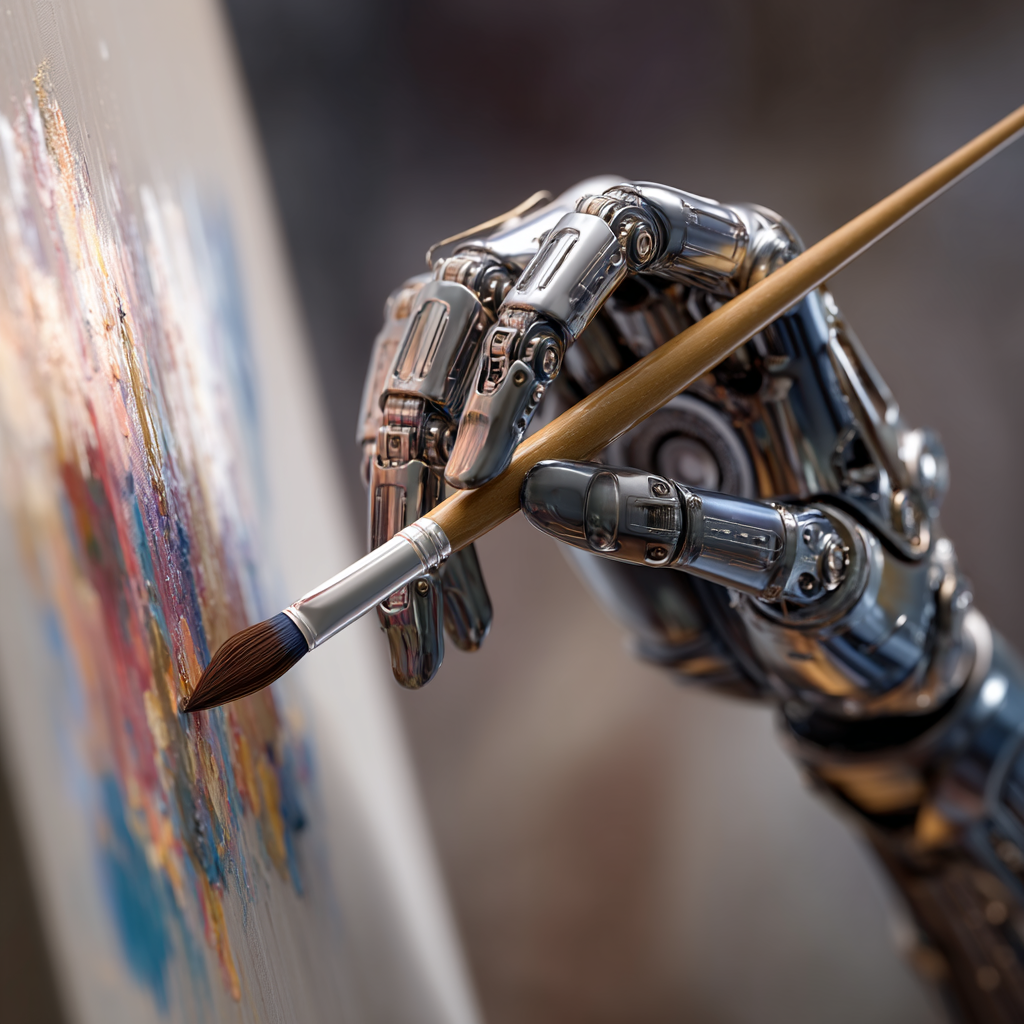
Use Modern Tools With Confidence
Adopting AI safely requires more than enthusiasm — it requires readiness. We help organizations build the skills and systems needed to use AI responsibly, using our maturity models to align culture, operations, and decision-making. With a clear strategy and sovereign system design, teams can explore, experiment, and build with confidence.